Open source · Apache 2.0
Your portfolio,explained.
Trading Max is a private, read-only workspace for your Trading 212 accounts. See what changed, understand why, look beneath every fund, and put research beside your real positions.
Apple Silicon · signed and notarized · or run it on your own server
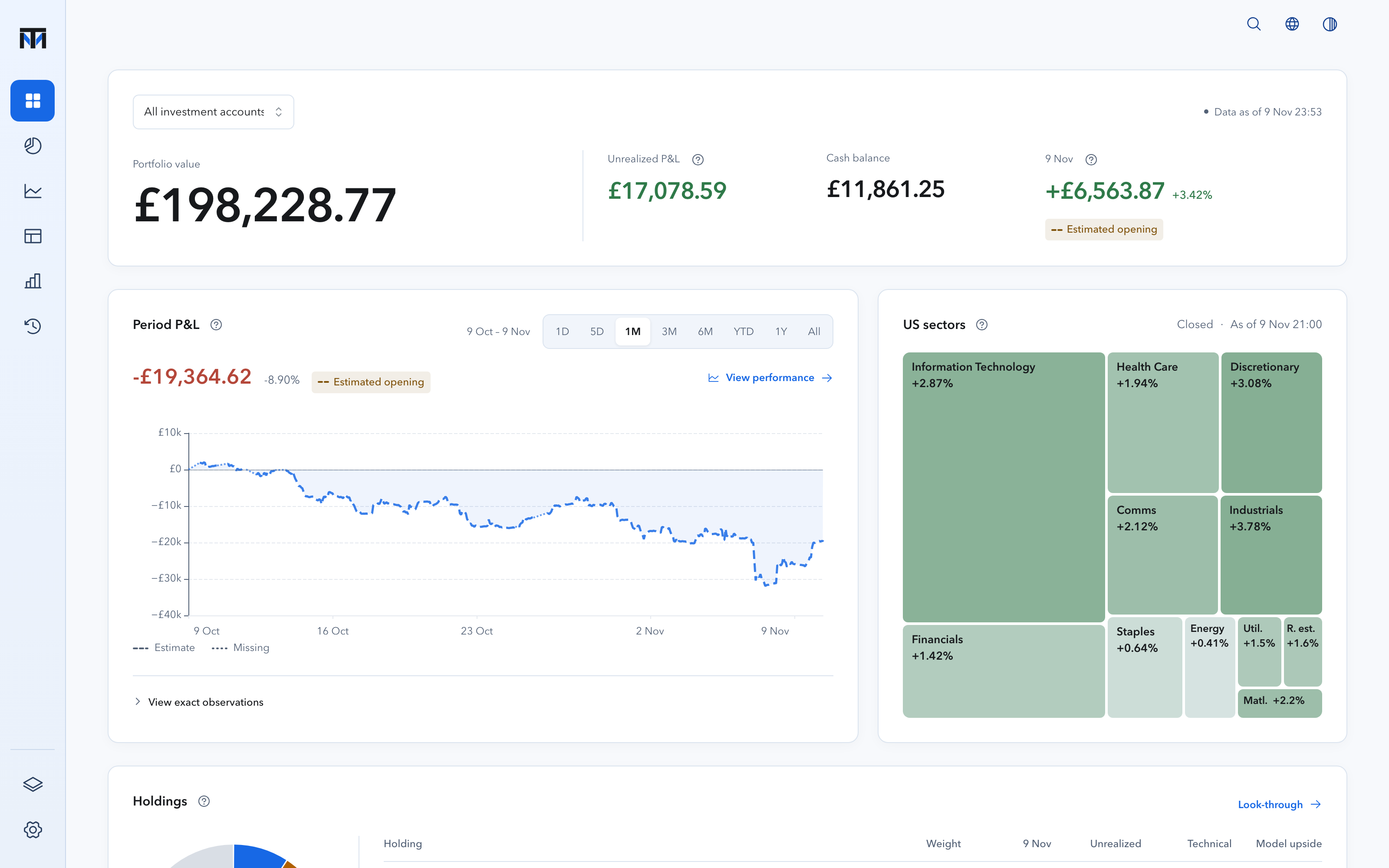 Period P&L from zeroToday's US sectorsEvery holding with its research
See what changed. Understand why.
Money you add is not a return. Trading Max separates investment results from money moving in and out, for Invest and Stocks ISA together or one account at a time, with drawdown and cash-flow-adjusted returns where the history supports them.
- Period net P&L starts from zero
- Every point keeps its exact record
- Gaps and estimates stay visible
- Account value
- Money in
- Investment result
Look beneath the fund name.
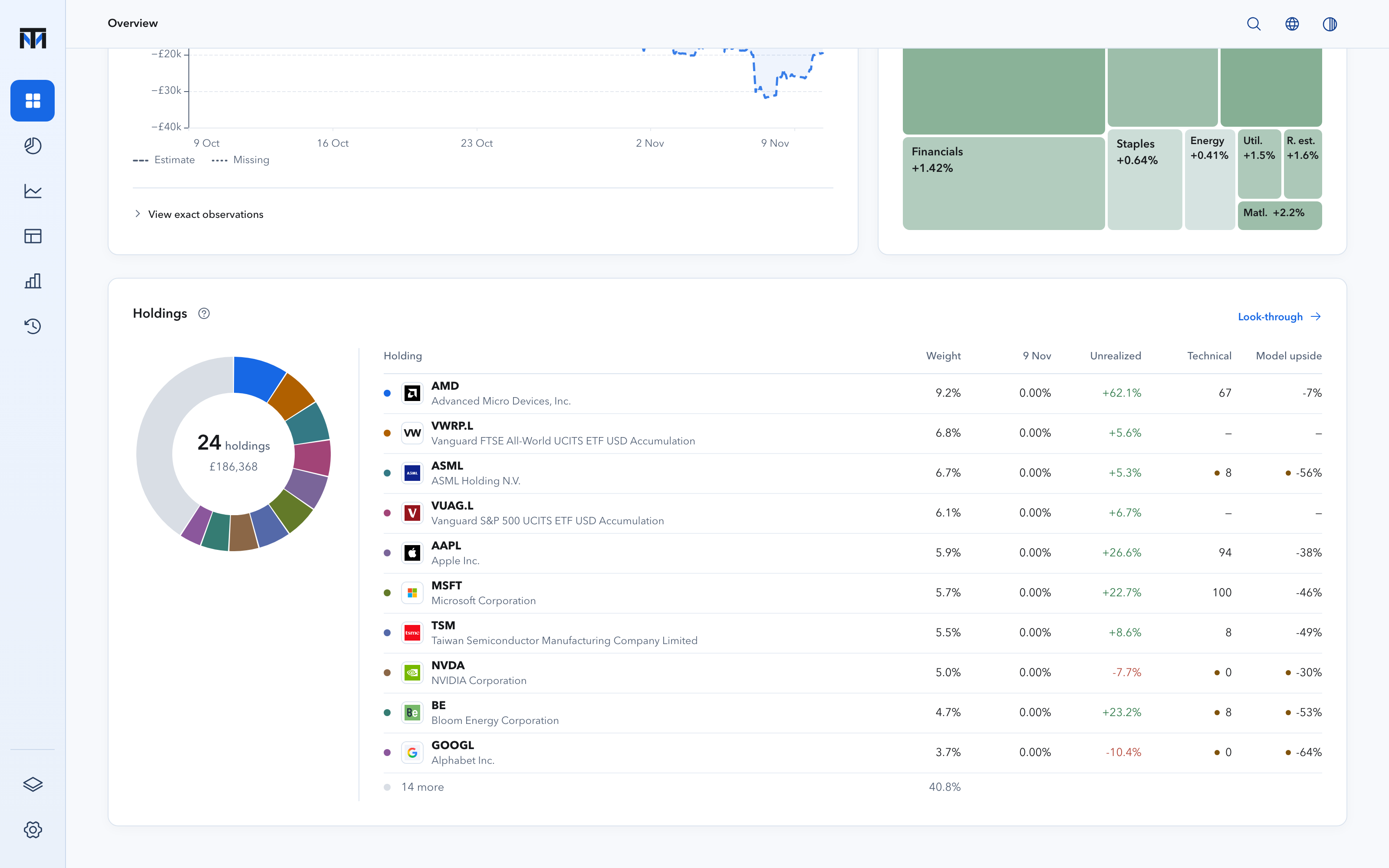
A fund ticker is only the beginning. Trading Max combines your direct holdings with the constituents its issuers publish, so you can see the companies, sectors, countries and asset classes you actually own, and where positions overlap. Coverage is stated whenever a fund cannot be resolved.
- Apple
- NVIDIA
- Microsoft
- Amazon
- TSMC
- Alphabet
ETF One company, counted once
Illustration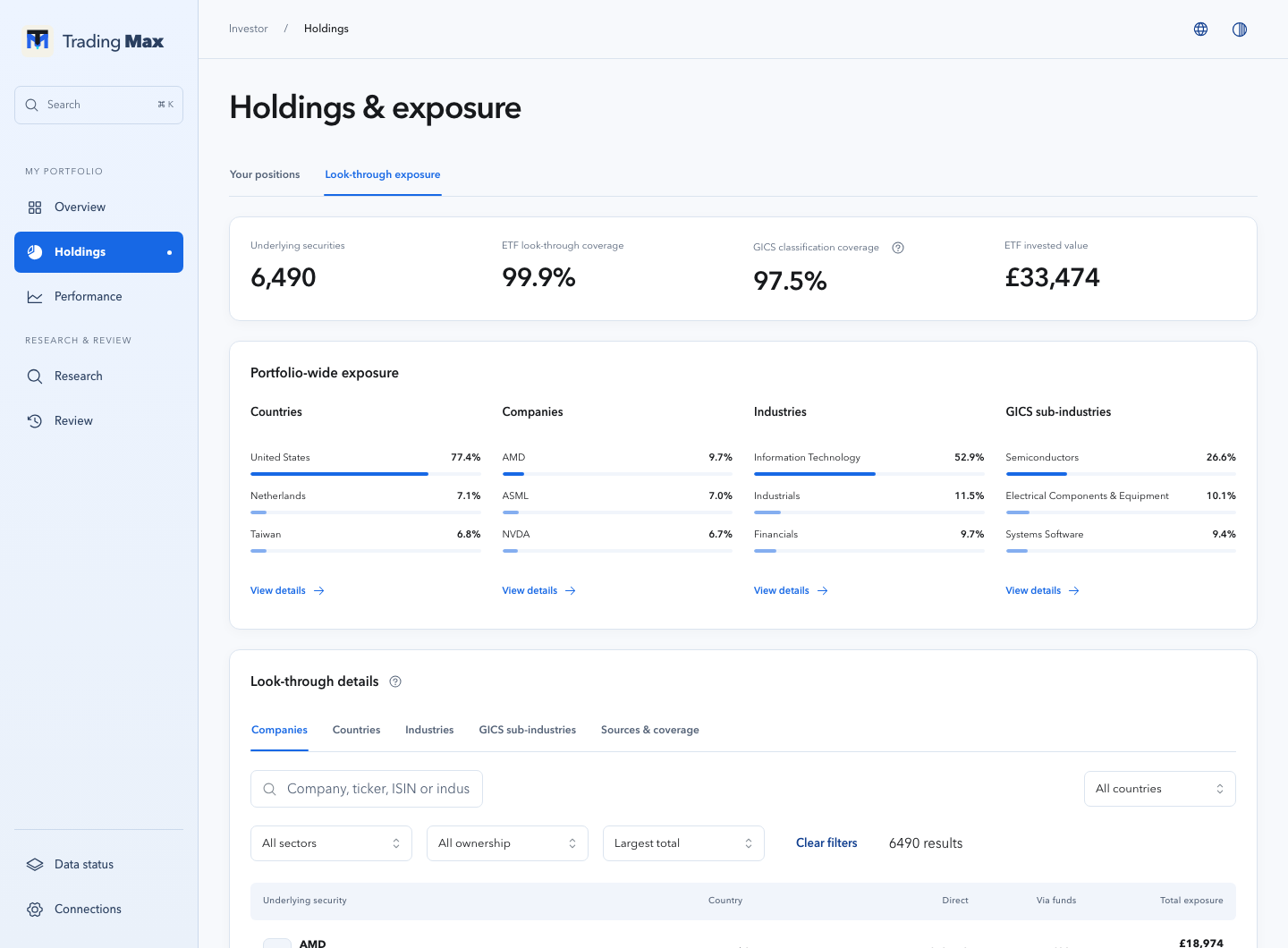
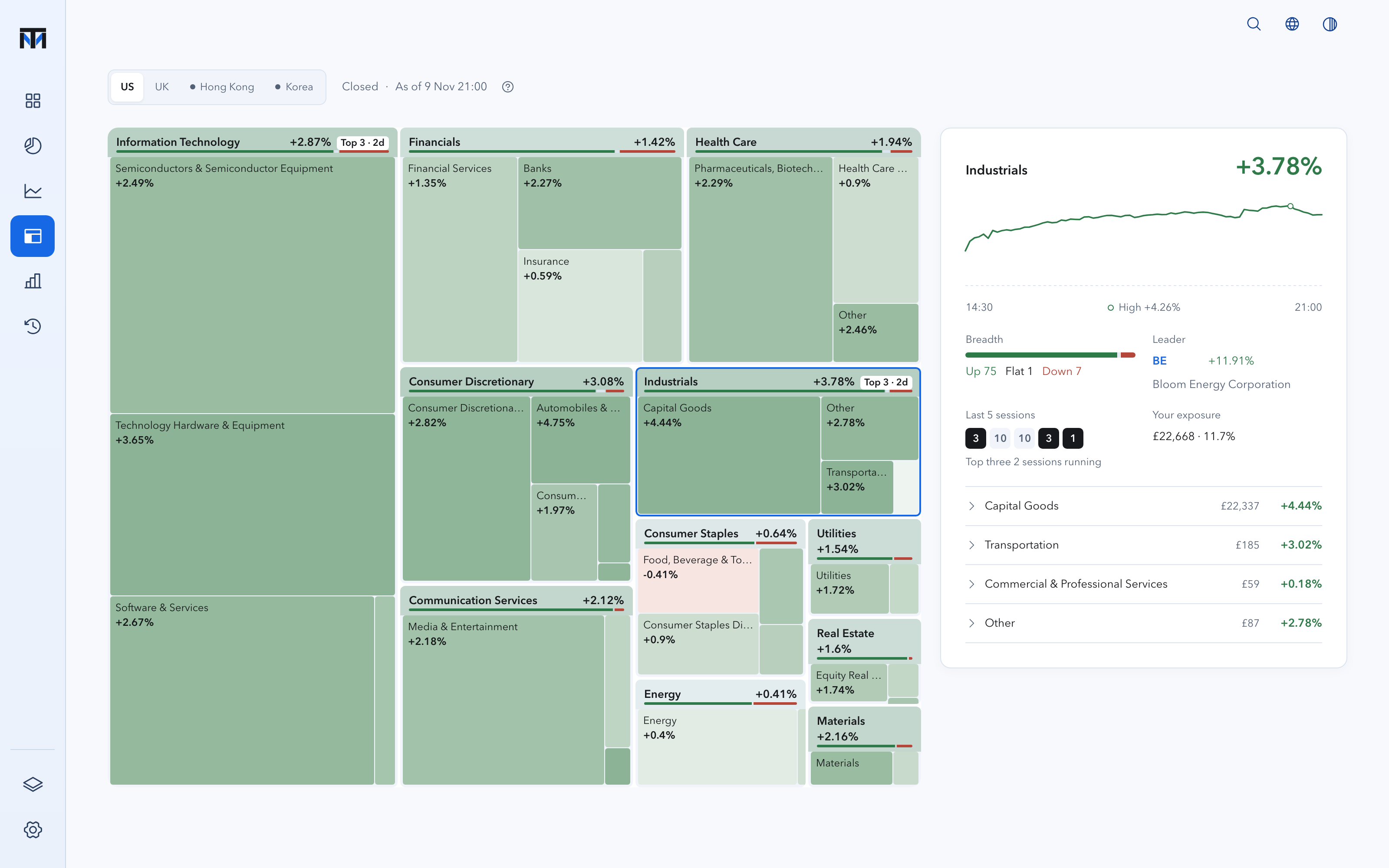
Know how far each sector has gone today.
Sector boards for the US, UK, Hong Kong and Korea, sized by index weight and coloured by the session's move. With automatic updates on, each board refreshes every ten minutes while its market is open. Open a sector for its intraday path, breadth, leader and your own look-through exposure.
- US
- UK
- Hong Kong
- Korea
Regular hours today, in your time zone
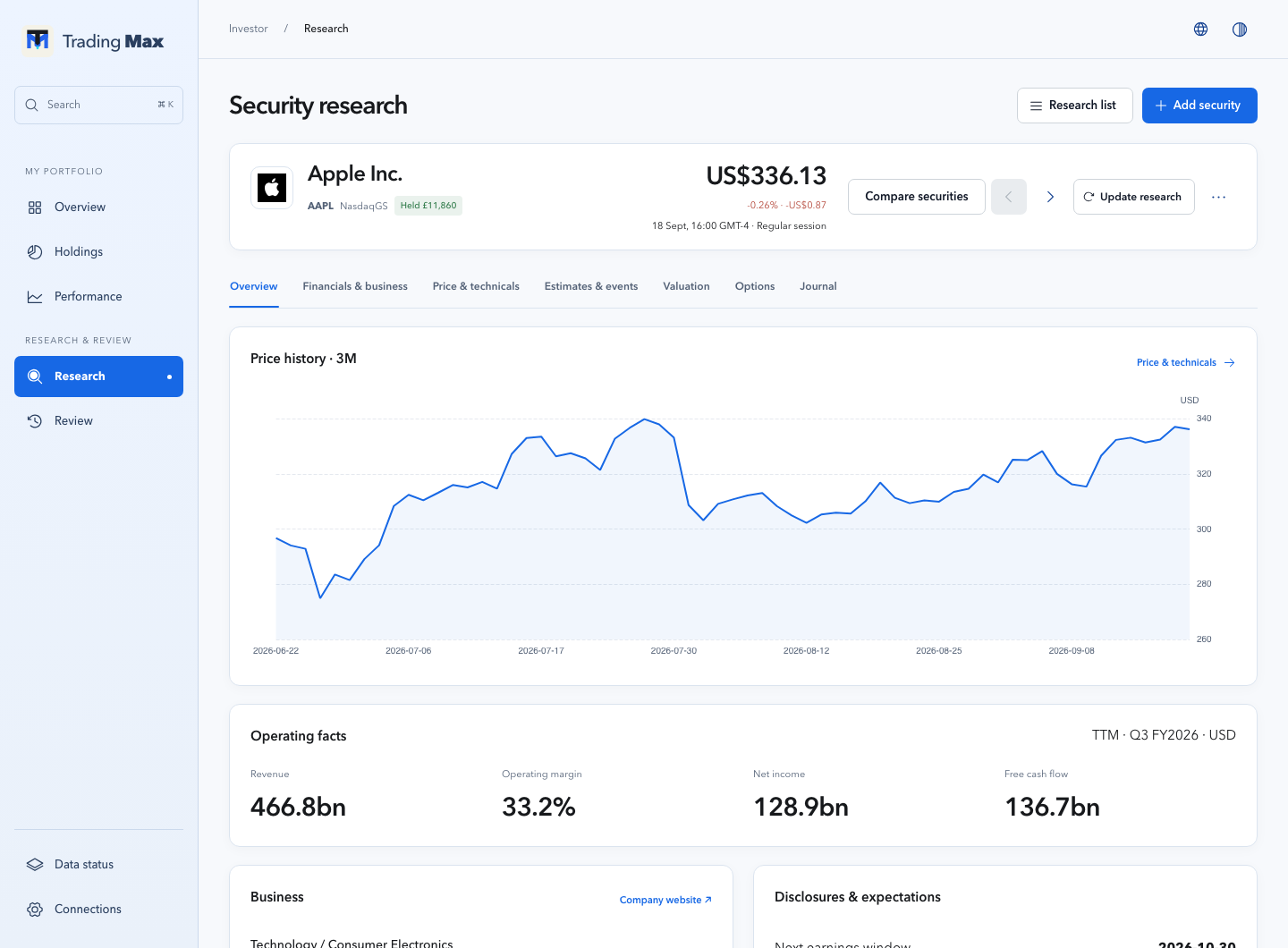
Put research beside your portfolio.
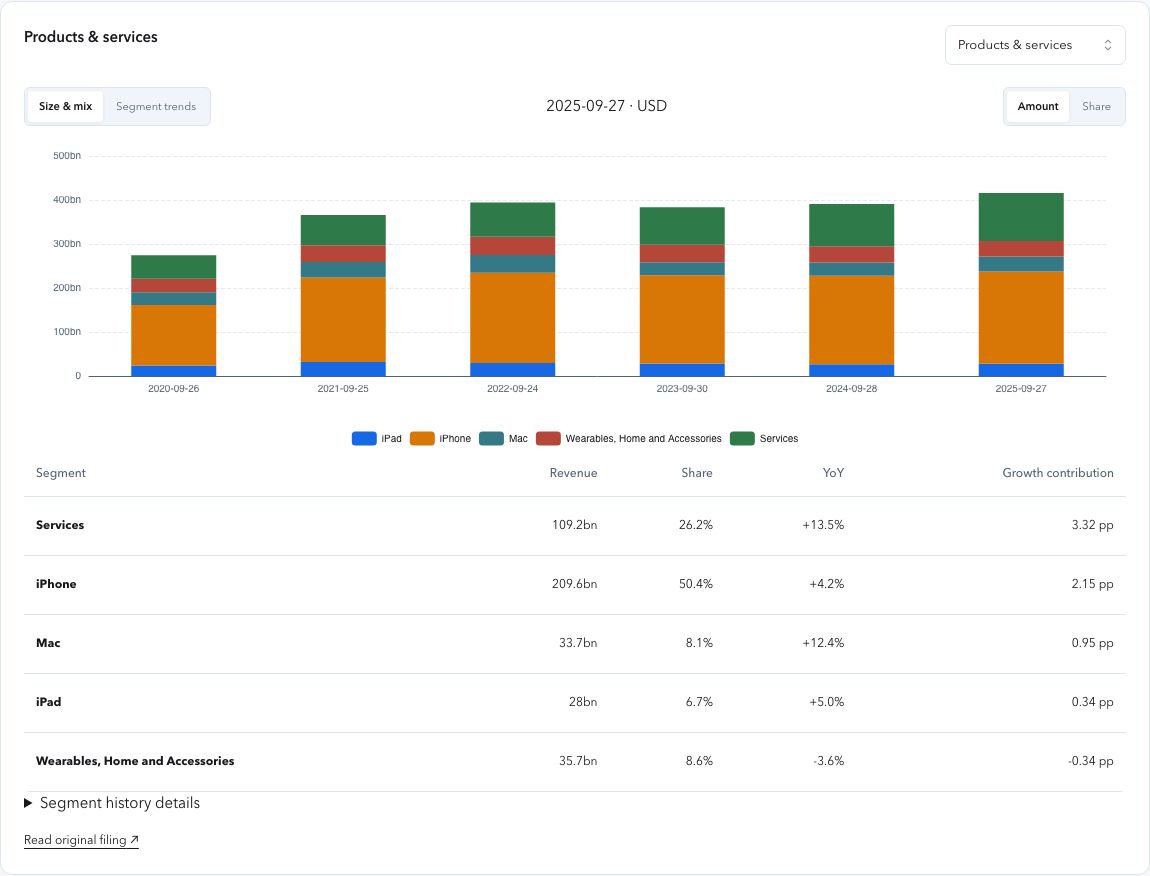
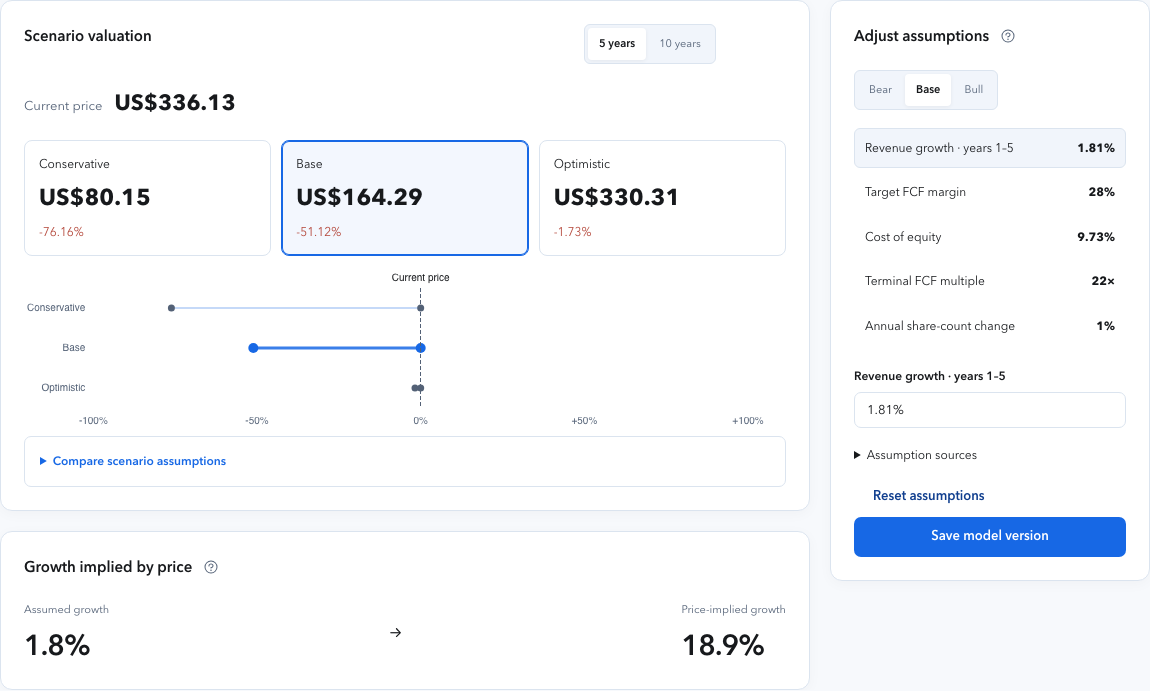
Up to seven views per security: overview, financials and business, price and technicals, estimates and events, valuation, options, and your own journal. Your buys, sells and trims sit on the charts, and decision review sets past trades against what happened next.
- Overview
- Financials & business
- Price & technicals
- Estimates & events
- Valuation
- Options
- Journal
On your desk, on your phone, in a Mac App.
The same workspace runs in the browser, adapts to a phone with a bottom dock, and ships as a signed Mac App that connects to your own server or keeps a local workspace.
- Mac AppDeveloper ID signed and Apple-notarized, with in-app updates.
- Your own serverRun the service on your own machine and connect from the App or a browser over HTTPS.
- PhoneSix pages in a bottom dock, tuned for one-handed checks.

Your data stays on your machines.
- Read-only accounts
There is no order-placement path. Trading Max reads; it never trades.
- Private local state
Credentials live in the operating-system keychain. Data stays on your machine or server, on loopback by default.
- Every number has a source
Basis, source and as-of time travel with each figure. Stale or failed data is disclosed, never papered over.
- Real data sources
Trading 212 for accounts; Yahoo-compatible market data and disclosure filings for research.
- AI is optional
Analytics and research work without a model key. Automatic AI analysis is off by default.
- Recoverable history
A failed refresh keeps the last valid snapshot. Verified backups support recovery.
Start in minutes.
Keep it for years.
- 01Mac App
Download the signed preview for Apple Silicon. Local workspaces start empty and guide you through connecting and checking your accounts.
Download from GitHub - 02Self-host
Run the service on your own machine with the CLI and local launch scripts, then connect from the App or a browser.
Read the guides - 03Source
Apache 2.0. Read the code, open an issue, or contribute a fix.
View the repository